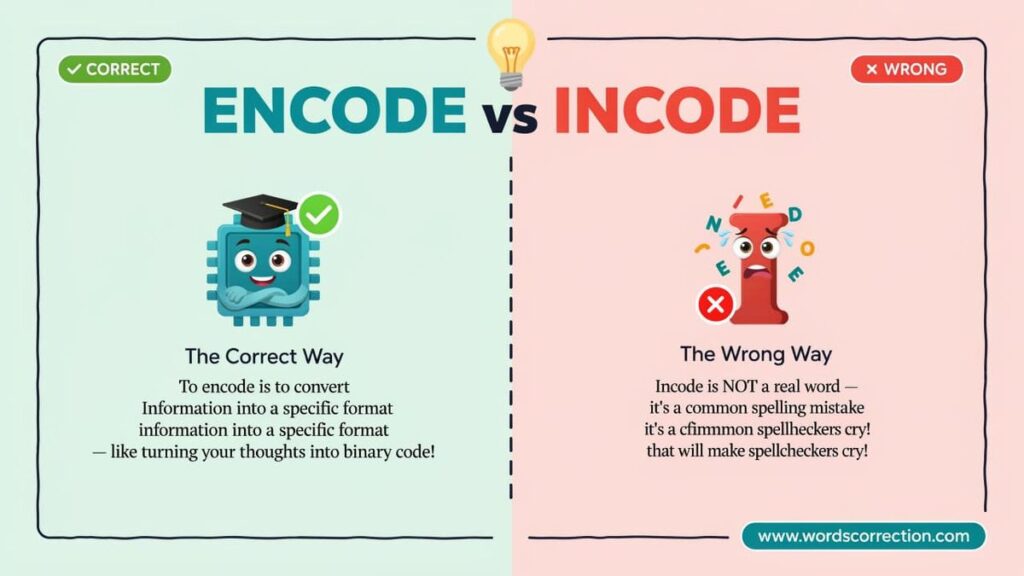
The difference between encode vs incode may seem like a minor spelling detail, but choosing the wrong form can create confusion and weaken your writing. Although these words look similar, they don’t serve the same purpose. Whether you’re discussing computer programming, data conversion, digital communication, or everyday language, using the correct term is essential. But is “incode” a legitimate English word, or should you always use “encode”? Understanding their meanings, definitions, and proper usage will help you avoid common spelling mistakes. Let’s explore the key differences, examine practical examples, and clarify when each form is appropriate.
Encode vs Incode The Quick Answer
Encode is the correct spelling when you mean to convert information into a particular code, format, or system of representation. Incode is not a standard English verb and should not replace encode in ordinary writing.
For example
- Correct: The software can encode the video into a smaller file format.
- Incorrect: The software can incode the video into a smaller file format.
The confusion often comes from the phrase in code, which consists of two separate words. That phrase is grammatically correct, but it doesn’t make incode a valid alternative spelling of encode.
| Word or phrase | Correct? | Meaning | Example |
|---|---|---|---|
| Encode | Yes | Convert information into a particular code or format | Encode the message. |
| Incode | No, not as a standard verb | Nonstandard spelling when intended to mean encode | Incode the message. |
| In code | Yes | Express something using a code | Write the message in code. |
| Encoded | Yes | Converted into a code or format | The file is encoded. |
| Encoding | Yes | The process of converting information | Text encoding matters. |
The simple rule: Use encode as a verb and in code as a two-word phrase when the sentence requires that expression. Don’t write incode when you mean encode.
Learn the difference between confusing more English words
Xenodochial vs Xenodochium Which Word Should You Use?
What Does Encode Mean?
The encode meaning refers to changing information into a particular form so that a person, device, or computer system can store, process, transmit, or interpret it.
In simple English, to encode means to put information into a specific system of symbols, signals, or representations.
Consider this example: You have an ordinary message, but the receiving system needs that message in a particular format. Encoding changes how the information is represented without necessarily changing the information itself.
Computers, for instance, represent characters through numerical values and binary patterns. Encoding provides the rules that connect those representations.
The word has several applications
- Communication: Turning thoughts into words, symbols, or signals.
- Computing: Converting information into a format that a computer can process.
- Digital media: Representing audio, images, and video in digital formats.
- Biology: Describing how genetic information specifies proteins or other biological products.
- Data transmission: Preparing information for transfer between devices or systems.
Encode as a Verb
Encode is primarily a transitive verb. This means it usually takes a direct object: something that receives the action.
Consider these examples
- The developer will encode the data before sending it.
- The application can encode text in UTF-8.
- The technician encoded the audio file for digital distribution.
- The system automatically encodes information before transmission.
In each sentence, the verb identifies an action performed on information or another object.
The word also appears in several grammatical forms
| Form | Grammatical role | Example |
|---|---|---|
| Encode | Base verb | Encode the message. |
| Encodes | Third-person singular | The software encodes the data. |
| Encoded | Past tense and past participle | She encoded the document. |
| Encoding | Present participle and gerund | Encoding takes time. |
| Encoder | Noun | The encoder processes the input. |
Understanding these forms helps you recognize the correct encode spelling regardless of the sentence structure.
Encode Meaning in Communication
Encoding has played an important role in human communication long before computers became part of everyday life.
When you communicate, you organize your thoughts into a form another person can understand. You might use spoken words, written language, facial expressions, gestures, or symbols. This process is called message encoding.
For example, imagine that you want to tell a friend you’re happy about some good news. You convert your feelings into spoken words:
“I’m really excited about this!”
Your brain has turned an internal thought into a message that another person can receive and interpret.
The communication process generally includes four important elements
- Sender: The person who creates the message.
- Encoding: The process of turning thoughts into words, symbols, or signals.
- Channel: The method used to deliver the message, such as speech, email, or text.
- Receiver: The person who interprets the message through decoding.
However, encoding doesn’t guarantee that the receiver will understand everything correctly. Language differences, unclear wording, cultural expectations, and background knowledge can affect interpretation.
For instance, a sarcastic comment might communicate one meaning to a close friend but sound like a serious statement to someone unfamiliar with the speaker.
That’s why effective communication requires clear encoding and careful decoding.
Encode in Computer and Technology
In computing, encode describes the process of converting information into a defined digital representation.
Computers work with data represented through binary values: 0s and 1s. Encoding rules help software and hardware represent different kinds of information in forms that digital systems can handle.
For example, when you save a text document, the computer must represent its characters using a character encoding system. When you play a video, the software must interpret the encoded media data using the appropriate format and decoding tools.
Common examples include
- Text encoding
- Character encoding
- Binary encoding
- Audio encoding
- Video encoding
- URL encoding
- Base64 encoding
Each technique serves a particular purpose. They aren’t interchangeable, even though they all involve representing or transforming information.
What Is Character Encoding?
Character encoding assigns numerical representations to characters so computers can store and exchange text.
One widely used standard is UTF-8, a Unicode encoding format. It represents Unicode characters using sequences of one to four bytes.
For example, the English letter A has the Unicode code point U+0041. Its UTF-8 representation is the single byte 41 in hexadecimal.
This system allows computers to handle text from many writing systems, including English, Arabic, Chinese, and numerous others.
Without compatible character encoding, text may appear as strange symbols, question marks, or unreadable characters.
What Is Binary Encoding?
Binary encoding represents information through combinations of binary digits, commonly called bits.
A bit can have one of two values
- 0
- 1
For example, the eight-bit binary representation of the decimal number 5 is 00000101.
Computers use binary representations to process numbers, characters, instructions, and many other forms of information.
What Is Data Encoding?
Data encoding means converting information into a defined representation that a system can store, transmit, or process.
For example, a website might use Base64 encoding to represent binary data as ASCII characters. This can help place certain binary information inside text-based formats.
However, Base64 doesn’t encrypt or protect the information. Anyone who knows the encoding method can decode it.
This distinction matters when handling sensitive information. A readable representation isn’t automatically a secure one.
Audio and Video Encoding
Audio and video encoding prepare media for digital storage, streaming, and transmission.
An audio encoder may compress sound into a format such as MP3 or AAC. A video encoder may convert footage into a format using a codec such as H.264 or H.265.
These processes can reduce file sizes and make media easier to distribute.
For example, a streaming service may encode video at several resolutions so viewers can watch smoothly on devices with different screen sizes and internet speeds.
Encode Meaning in Biology and Genetics
The word encode also appears in biology, particularly when scientists discuss genetic information.
Genes contain DNA sequences that provide instructions for producing functional products, including proteins and functional RNA molecules.
For example, scientists often say that a gene encodes a protein when its genetic sequence specifies the information used to produce that protein.
This biological usage follows the same general idea as the computing definition: information is represented through a system of instructions or symbols.
The context changes, but the central concept remains connected to representing information.
Learn the difference between commonly mixed-up more words
Stigmatism vs Astigmatism Which Term Is Correct?
What Does Incode Mean?
The incode meaning isn’t established as a standard English verb meaning to convert information into a code.
If you search for incode or encounter it in an online document, you may find it in several contexts. However, its appearance doesn’t automatically make it an accepted dictionary word.
For ordinary English writing, use encode when describing the process of converting information into a particular representation.
Consider these examples
- Standard: The program encodes the information.
- Nonstandard: The program incodes the information.
- Standard: The information is encoded before transmission.
- Nonstandard: The information is incoded before transmission.
The same principle applies to related forms. If you’re using the standard verb encode, its past-tense form is encoded and its -ing form is encoding.
Is Incode a Word?
The answer depends on what you mean by word.
Incode isn’t a standard English verb for encoding information. You shouldn’t use it as a replacement for encode in ordinary sentences.
However, the exact letter sequence Incode may appear as a company name, product name, software identifier, username, or other proper name. Proper names don’t have to follow ordinary dictionary conventions.
For example, a business may choose Incode as its brand name. That doesn’t establish incode as a standard English verb.
This distinction is important when editing technical documents, websites, product descriptions, and company materials. Preserve an established proper name when referring to that specific entity. Correct an ordinary spelling error when the intended meaning is the standard verb encode.
Learn the difference between tricky grammar more words
Realize vs Realise What Is the Difference?
Encode vs Incode Key Differences
Although the two spellings look similar, their grammatical status differs.
| Comparison | Encode | Incode |
|---|---|---|
| Standard English spelling | Yes | No, not as the intended verb |
| Part of speech | Verb | No established standard verb usage |
| Meaning | Convert information into a code or format | No standard equivalent meaning |
| Present form | Encode | Not standard |
| Past form | Encoded | Incoded is nonstandard |
| -ing form | Encoding | Incoding is nonstandard |
| Technical usage | Widely established | May appear as a proper name or identifier |
| Suitable for formal writing | Yes | Only when used as an exact name or identifier |
What Is the Difference Between Encode vs Incode?
The main Encode vs Incode difference is that encode is an established English verb, while incode isn’t the standard spelling for that action.
You can use encode in academic writing, professional emails, technical documentation, everyday conversation, and computer science.
For example
- The application encodes customer information.
- The researcher encoded the survey responses.
- The device uses an encoder to process the signal.
Replacing encode with incode in these sentences creates a spelling error unless the word is part of a specific proper name or defined identifier.
Learn the difference between confusing word pairs
Coaches or Coach’s Which Spelling Is Correct?
How to Use Encode Correctly in a Sentence
Knowing the definition is helpful, but understanding common sentence patterns makes the word easier to use naturally.
The verb encode commonly appears with a direct object followed by a preposition or a phrase that identifies the format, method, or resulting representation.
Encode Something in a Format
Use this construction when you want to identify the format or system used to represent information.
Examples
- The document stores its text in UTF-8.
- The software encodes the information in Base64.
- The technician encoded the recording in a compatible audio format.
Encode Something Into Another Form
Use into when emphasizing the transformation from one representation to another.
Examples
- The application encodes the text into a digital format.
- The device converts the input into binary data.
- The software encodes the original file into a compressed format.
Encode Something as Something
Use as when identifying the representation or form assigned to information.
Examples
- The system encodes the value as a binary number.
- The program encodes the characters as numerical values.
- The application stores the information as a Base64 string.
Encode Something Using a Specific Method
Use using to introduce the technique or standard involved.
Examples
- The developer encoded the text using UTF-8.
- The application encodes the image using a supported compression algorithm.
- The device encodes audio using the AAC format.
The best construction depends on what you want to emphasize. You don’t need to force the same sentence pattern into every situation.
Learn the difference between often confused words
Grimey or Grimy Which Spelling Is Correct?
Encode, Encoded, Encoding, and Encoder Understanding the Word Family
One reliable way to avoid the Incode vs Encode spelling mistake is to learn the entire word family.
These related forms appear frequently in everyday English and technical writing.
Encode
Encode is the base verb.
Examples
- Encode the information before sending it.
- The application can encode the message automatically.
Encoded
Encoded is the simple past tense and past participle of encode.
Examples
- The technician encoded the audio yesterday.
- The file is already encoded.
- The encoded information arrived successfully.
Encoding
Encoding refers to the action or process of converting information into a particular representation. It can function as a gerund or a noun.
Examples
- Encoding digital information requires a defined system.
- The encoding process can affect file size.
- Character encoding helps computers represent text.
Encoder
An encoder is a person, device, or software component that performs an encoding operation.
For example, an audio encoder converts sound data into a supported digital representation.
An encoder often works alongside a decoder. The encoder prepares the information, while the decoder interprets the resulting representation.
Learn the difference between basic English word mistakes
Visualization or Visualisation Which Spelling Is Correct?
Encode vs In Code Understanding the Difference
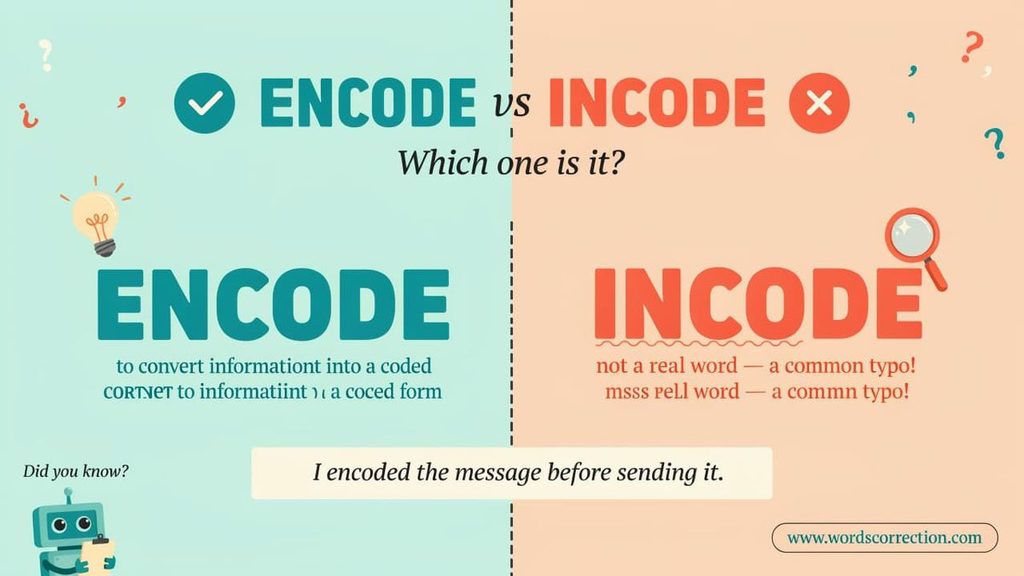
Here’s where the confusion becomes particularly interesting. Although incode isn’t the standard verb, in code is a perfectly valid English phrase.
The two forms look similar, but they serve different grammatical purposes.
Encode as One Word
Encode is a verb that describes an action.
Examples
- Encode the message before transmission.
- The application encodes the data automatically.
- The system encoded the file using a specific format.
In Code as Two Words
In code is a prepositional phrase. It describes how something is written, represented, or expressed.
Examples
- The message was written in code.
- The instructions appear in code.
- The developer found an error in the code.
Notice that the phrase doesn’t function as a replacement for the verb encode.
When Should You Use Each Form?
Compare these sentences
| Sentence | Explanation |
|---|---|
| The software encodes the message. | Correct verb usage. |
| The message appears in code. | Correct prepositional phrase. |
| The developer wrote the instructions in code. | Correct phrase describing the writing method. |
| The developer incoded the instructions. | Incorrect standard verb spelling. |
Remember: Encode describes what someone or something does. In code describes the form in which information appears.
Learn the difference between commonly misused words
Follow Up vs Follow-Up Which Is Correct?
Encode vs Decode What Is the Difference?
Encoding and decoding are closely related processes. However, they perform different functions.
Encoding converts information into a defined representation. Decoding interprets or converts that representation into a usable form.
Consider sending a message in a format that another device understands. The sending system encodes the information, while the receiving system decodes it.
| Feature | Encode | Decode |
|---|---|---|
| Main function | Convert information into a defined representation | Interpret an encoded representation |
| Direction | Original representation to encoded representation | Encoded representation to interpreted information |
| Main tool | Encoder | Decoder |
| Common use | Preparing information for storage or transmission | Reading or interpreting encoded information |
| Example | Encode text using UTF-8 | Decode UTF-8 text |
Practical Example of Encoding and Decoding
Suppose a website needs to send text containing special characters through a system that requires URL encoding.
The browser may encode certain characters so the URL can represent them safely. When the receiving system processes the URL, it can decode those characters to recover their original representation.
This is a practical example of encoding and decoding working together.
However, decoding doesn’t always reverse every possible transformation perfectly. Lossy media compression, for instance, may discard information that cannot be recovered during decoding.
That’s why the encoding method matters.
Learn the difference between everyday English mistakes
Omelet or Omelette Which Spelling Is Correct?
Encode vs Encrypt Are They the Same?
No. Encoding and encryption both transform information, but they serve different purposes.
Encoding changes the representation of information. Encryption protects information by making it unreadable without the appropriate decryption key.
This distinction is especially important in information technology and cybersecurity.
What Is Encoding?
Encoding converts data into a format that a system can process, store, or transmit.
Examples include
- UTF-8 text encoding.
- Base64 encoding.
- URL encoding.
- Audio and video encoding.
Encoding methods generally don’t require a secret key. Anyone who knows the encoding scheme can usually reverse the transformation when it is reversible.
What Is Encryption?
Encryption transforms readable information into ciphertext using a cryptographic algorithm and key.
For example, a secure messaging application may encrypt a message so unauthorized people cannot read its contents.
The intended recipient uses the appropriate decryption key or cryptographic process to recover the original information.
Encoding vs Encryption Comparison
| Feature | Encoding | Encryption |
|---|---|---|
| Main purpose | Data representation and compatibility | Confidentiality and security |
| Uses a secret key | Generally no | Yes |
| Designed to prevent unauthorized reading | No | Yes |
| Example | Base64 | AES |
| Reversible | Usually, depending on the method | Yes, with the appropriate decryption process |
A common mistake is treating Base64 encoding as encryption. Base64 makes binary data easier to represent in text-based systems. It doesn’t protect sensitive information.
For example, storing a password in Base64 doesn’t make it secure. Password storage requires appropriate password-hashing techniques, such as Argon2id or bcrypt, rather than ordinary encoding.
Never describe encoded data as encrypted unless a genuine encryption process protects it.
Learn the difference between more words people mix up
Dieing or Dying Which Spelling Is Correct?
Encode vs Code How Are They Different?
The words encode and code are related, but they don’t mean exactly the same thing.
Code is a noun or verb with several meanings. It can refer to a system of symbols, a set of rules, or instructions written for a computer.
Encode specifically describes converting information into a particular representation.
Consider these examples
- A programmer writes code to build an application.
- A software tool encodes text into Base64.
- A computer stores characters using a defined character encoding system.
- A developer decodes the encoded information before processing it.
In computer programming terminology, coding usually involves writing instructions that tell a computer what to do. Encoding involves changing how information is represented.
The two activities may appear in the same software project, but they aren’t interchangeable.
Learn the difference between tricky English words with easy explanations
Photostat or Photostate Which one Is Correct?
Correct and Incorrect Examples of Encode vs Incode
Examples make spelling rules easier to remember. The following comparisons show how the correct spelling works across different situations.
Everyday Conversation
| Incorrect | Correct |
|---|---|
| Can you incode this message? | Can you encode this message? |
| The system incoded my information. | The system encoded my information. |
| I am incoding the text. | I am encoding the text. |
Academic and Professional Writing
| Incorrect | Correct |
|---|---|
| The researcher incoded the survey data. | The researcher encoded the survey data. |
| The study examines the incoding process. | The study examines the encoding process. |
| The results were incoded into categories. | The results were encoded into categories. |
Computing and Programming
| Incorrect | Correct |
|---|---|
| The application will incode the file. | The application will encode the file. |
| The developer is incoding the data. | The developer is encoding the data. |
| The text was incoded using UTF-8. | The text was encoded using UTF-8. |
Workplace Communication
| Incorrect | Correct |
|---|---|
| Please incode the document before uploading it. | Please encode the document before uploading it. |
| The server incodes the information automatically. | The server encodes the information automatically. |
| We need to check the incoded file. | We need to check the encoded file. |
The pattern remains the same in every context. When the intended meaning involves converting information into a code or format, use encode and its correct grammatical forms.
Why Do People Confuse Encode vs Incode?
If encode is the standard spelling, why do people write incode?
Several factors contribute to this mistake. Most involve pronunciation, spelling patterns, and confusion with other valid English expressions.
Similar Pronunciation
The beginning of encode may sound similar to the beginning of incode in some speakers’ pronunciation or during quick conversation.
When people rely on sound rather than visual memory, they may choose the wrong initial letters.
This happens with many English spelling mistakes. Pronunciation doesn’t always provide enough information to identify the correct spelling.
Confusion Between the Prefixes En- and In-
English contains many words beginning with en- and in-.
Examples include
- Enable
- Enclose
- Enlarge
- Include
- Insert
- Inform
Because both letter combinations appear frequently, writers may accidentally substitute one for the other.
However, English prefixes aren’t interchangeable spelling options. The established spelling of a word must be learned and used.
Confusion With the Phrase In Code
The valid phrase in code is another major source of confusion.
For example
- The developer wrote the message in code.
- The developer encoded the message.
Both sentences are correct, but their grammatical structures differ.
Combining the two-word phrase into incode doesn’t create the standard verb.
Typing Errors and Autocorrect
Fast typing can produce accidental spelling errors. Autocorrect may also fail to correct an unusual word or preserve a term that appears in a user’s personal dictionary.
This is particularly common when writing technical content because software terminology often includes unfamiliar names and abbreviations.
A quick dictionary check can prevent the error from appearing in a professional document.
Is There Any Difference Between American and British English?
No meaningful regional spelling difference exists between American and British English for this word.
Both varieties use encode as the standard spelling.
| English variety | Correct spelling | Incorrect standard alternative |
|---|---|---|
| American English | Encode | Incode |
| British English | Encode | Incode |
| Canadian English | Encode | Incode |
| Australian English | Encode | Incode |
You don’t need to change the spelling when writing for readers in the United States, the United Kingdom, Canada, or Australia.
The word’s spelling and central meaning remain consistent across these varieties.
Learn the difference between confusing more English words step by step
Pricy or Pricey Which Spelling Is Correct?
Common Mistakes to Avoid When Using Encode
Even after learning the correct spelling, writers sometimes make related mistakes. Watch out for the following examples.
Using Incode Instead of Encode
Incorrect: The application will incode the information.
Correct: The application will encode the information.
Use the standard verb when describing data conversion.
Writing Incoded Instead of Encoded
Incorrect: The file was incoded yesterday.
Correct: The file was encoded yesterday.
The correct past-tense and past-participle form is encoded.
Writing Incoding Instead of Encoding
Incorrect: The software is incoding the audio.
Correct: The software is encoding the audio.
The standard -ing form is encoding.
Confusing Encode With In Code
Incorrect: The program will incode the message.
Correct: The program will encode the message.
Alternatively: The message is written in code.
Remember that the verb and the prepositional phrase have different grammatical functions.
Treating Encoding and Encryption as Synonyms
Incorrect: The company encrypted the data using Base64.
More accurate: The company encoded the data using Base64.
Base64 is an encoding method, not an encryption algorithm.
Using Encode When Decode Is Intended
Incorrect: The application encodes the received information to recover its original form.
Correct: The application decodes the received information to recover its original form.
Choose the verb based on the direction and purpose of the operation.
Assuming Every Appearance of Incode Is a Typo
Not every appearance of Incode is necessarily a spelling mistake.
A company, application, or software product may use that exact spelling as its official name. In such cases, preserve the brand’s spelling when referring to it.
The important distinction is whether you’re using the word as an ordinary English verb or referring to a specific name.
Incode Technology When the Spelling Is a Brand Name
There is another reason readers may encounter the spelling Incode: it can appear as a business or product name.
For example, Incode is the name of a technology company associated with digital identity verification and identity management.
Its products operate in areas such as digital onboarding, identity verification, and fraud prevention. These services help businesses verify users and manage identity-related processes.
This is different from using incode as a verb.
Compare
- Brand reference: Incode provides identity verification technology.
- Standard English verb: The software encodes the information.
- Incorrect spelling: The software incodes the information.
The capitalization and context help identify the difference. A company can choose an unconventional name without changing standard English spelling rules.
When discussing a specific product or company, use its official brand spelling. When describing an encoding process, use encode.
practice session about Encode vs Incode
Instructions: Fill in the blanks with the correct words. Each question is simple and easy to understand.
- _____ is the correct English spelling.
- _____ is not a standard English word.
- Encode means to convert _____ into a specific format.
- The opposite process of encoding is called _____.
- An _____ converts information into a code.
- A decoder helps _____ encoded information.
- Encoding is commonly used in _____ systems.
- UTF-8 is a type of character _____.
- ASCII is used to represent _____.
- Computers process digital _____.
- Encoding changes information into another _____.
- A message is encoded before it is _____.
- _____ encoding is used to represent text.
- Binary numbers contain zeros and _____.
- Base64 is a type of _____ encoding.
- Encryption helps protect _____.
- URL encoding is used in web _____.
- An encoder and decoder perform _____ functions.
- The process of converting a message into code is called _____.
- Decoding changes encoded data into a _____ form.
- Audio encoding is used for digital _____.
- Video encoding is used for digital _____.
- Encode is commonly used in computer _____.
- Correct encoding helps prevent text _____.
- Incode is also the name of a technology _____.
Answers
- Encode
- Incode
- Information
- Decoding
- Encoder
- Read
- Computer
- Encoding
- Characters
- Data
- Format
- Sent
- Character
- Ones
- Text
- Information
- Addresses
- Different
- Encoding
- Usable
- Audio
- Videos
- Programming
- Errors
- Company
Here’s a trusted source for clear word meanings:
Cambridge Dictionary
FAQ’s
What is the difference between Incode and Encode?
Encode is the correct standard English word used to describe the process of converting information into a specific format or code. Incode is not a recognized standard English verb with this meaning, although it is used as a proper brand name.
What does the term Incode mean?
Incode is not a standard English verb meaning to convert or represent information in a coded format. However, Incode is the name of a technology company that provides AI-powered identity verification and digital onboarding solutions.
What is the difference between coded and encoded?
Coded refers to information expressed or represented through a code or coding system. Encoded specifically describes information that has been converted into a particular format according to an established encoding method.
What does Encode mean in English?
Encode means to convert information, data, or messages into a particular format, code, or representation for storage, communication, or processing. It is commonly used in computing, technology, and communication.
What are some common synonyms for Encode?
Common alternatives to encode include convert, translate, represent, format, and encrypt. However, their meanings vary depending on the context, as encryption specifically involves protecting information rather than simply changing its format.
What is a practical example of encoding?
A practical example of encoding is converting the letter A into its binary representation, 01000001, using the ASCII character encoding standard. This allows a computer to represent and process the character digitally.
How can encoding be explained in simple terms?
Encoding is the process of changing information into a specific format so that a computer, device, or communication system can store, transmit, or process it correctly.
What are the four common categories of data encoding?
Four common categories are character encoding, audio encoding, video encoding, and data encoding. Each category uses specific methods to represent different types of information in a suitable digital format.
What does it mean to encode a message?
Encoding a message involves converting information into words, symbols, signals, or another agreed-upon format before communicating it. In human communication, this process allows a sender to express thoughts in a form that a receiver can interpret.
How can you encode text into a digital format?
Text can be encoded using character encoding standards such as UTF-8, UTF-16, and ASCII. These standards assign digital representations to letters, numbers, punctuation marks, and other characters.
What does encoding information involve?
Encoding information involves transforming data into a predefined representation that can be stored, transmitted, or processed by a computer or communication system while preserving its intended content.
How can you determine the encoding format of a text file?
You can determine a text file’s encoding by examining its metadata, checking for a byte order mark (BOM), or using a text editor or programming tool with character encoding detection capabilities.
Which encoding standards are commonly used for text files?
Common text encoding standards include UTF-8, UTF-16, and ASCII. UTF-8 is widely used because it supports characters from numerous writing systems and is compatible with standard ASCII characters.
How does encoding differ from encryption?
Encoding converts information into another format to support compatibility, storage, or transmission. Encryption, on the other hand, transforms information to protect its confidentiality and requires an appropriate decryption key for authorized access.
Why is encoding essential in computer systems?
Encoding is essential because it enables computers to represent, store, process, and exchange information in standardized formats. It also helps different applications and devices interpret digital data consistently.
What happens when a text file is decoded using the wrong encoding?
When a text file is decoded using an incompatible character encoding, its content may appear as unusual symbols, incorrect characters, or unreadable text. This problem commonly occurs when the original encoding format is not correctly identified.
What are the main functions of an encoder and a decoder?
An encoder converts information into a specified format or representation, while a decoder interprets or converts the encoded information into a usable form. Together, they support reliable data storage, transmission, and communication.
Can the same information be represented using different encoding formats?
Yes. The same information can be represented using multiple encoding formats. For example, text characters can be represented through ASCII, UTF-8, or UTF-16, depending on the requirements of the system.
What is the primary purpose of character encoding?
Character encoding provides a standardized way to represent letters, numbers, punctuation marks, and symbols in digital systems. It allows computers and applications to display, store, and process written text accurately.
What is Base64 encoding, and what is its purpose?
Base64 is a binary-to-text encoding method that converts binary information into a sequence of text characters. It is commonly used to transfer or embed binary data in systems that handle text-based information.
How is encoding different from computer programming?
Encoding and programming serve different purposes. Encoding converts information into a particular representation, whereas programming involves creating instructions that tell computers how to perform specific operations or tasks.
What is the difference between source code and encoded data?
Source code consists of programming instructions written in a programming language, while encoded data represents information in a particular format. Encoded data may contain text, images, audio, or other information without necessarily containing executable instructions.
What is URL encoding, and why is it used?
URL encoding is a process that converts certain characters into a format suitable for web addresses. It helps ensure that spaces, reserved characters, and special symbols are represented correctly when included in URLs.
What are the most common data encoding problems, and how can they be prevented?
Common encoding problems include character corruption, incompatible formats, and incorrect interpretation of digital information. These issues can be minimized by selecting appropriate encoding standards, maintaining format consistency, and correctly identifying character encodings.
Does encoding change the original meaning of information?
Proper encoding does not change the intended meaning of information when the data is decoded using the corresponding method. However, incorrect encoding, incompatible formats, or data loss can cause information to be displayed or interpreted incorrectly.
Conclusion
Understanding the difference between Encode vs Incode is important for maintaining accurate spelling and clear communication. Although these terms look similar, they have different uses. Encode vs Incode is a common spelling comparison because “encode” is a standard English verb meaning to convert information into a specific code or format, while “incode” is not recognized as a standard English verb with this meaning. However, the phrase “in code” is correct when describing information expressed through a particular coding system.
When examining Encode vs Incode, understanding their grammatical roles and meanings helps prevent confusion. The word “encode” is commonly used in computer programming, data conversion, digital technology, and communication. In contrast, “in code” describes information written or communicated using symbols, numbers, or a specific coding system.
The distinction between Encode vs Incode is especially useful in professional writing, technical discussions, and everyday communication. Using Encode vs Incode correctly can help you avoid spelling errors, improve sentence clarity, and express your ideas more accurately.
Ultimately, Encode vs Incode is not simply a comparison of similar-looking words; it highlights the importance of choosing the correct spelling and grammatical expression. By understanding Encode vs Incode, you can write more confidently, communicate effectively, and avoid common language mistakes.

Stella AJS is an experienced blogger and dedicated English language writer at Words Correction. She turns confusing grammar, word meanings, spelling, and usage into clear, practical insights that readers can easily understand and apply. With a passion for precise and engaging writing, Stella helps readers avoid common language mistakes, strengthen their vocabulary, and communicate with greater clarity and confidence.